
1
Check the store
On the POS main page, check the store name before taking orders.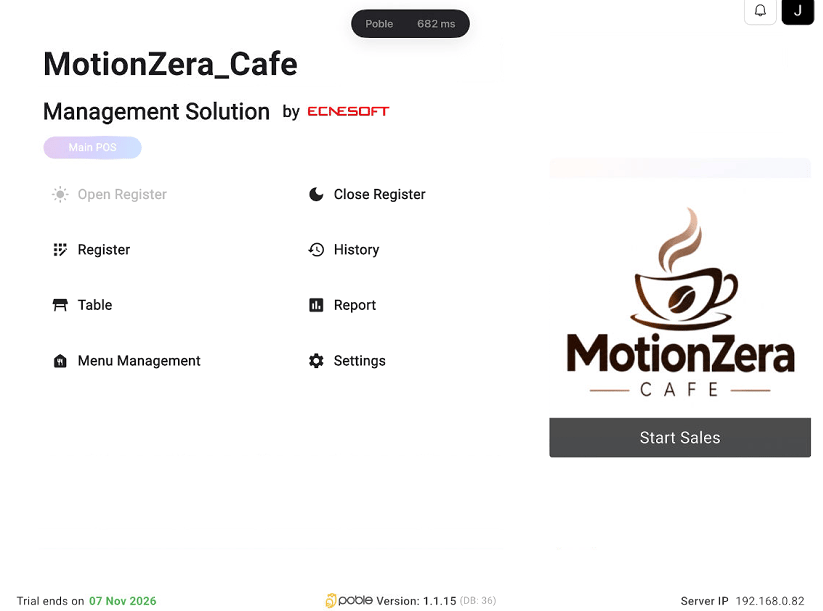
POS main page with the Start Sales button
2
Start taking orders
Select Start Sales to open the sales screen.
Open the sales screen from the POS main page.
Check the store
POS main page with the Start Sales button
Start taking orders