
Set Up Stripe Online Payments
1
Open Stripe settings
Select Company Settings, then open the Stripe tab.
2
Begin account setup
Under Stripe Connected Account, select Create Stripe Account. The source example shows an Action required status before setup.
3
Complete the requested setup
Follow the account setup instructions and provide the details requested in that flow.
4
Review account status
Return to the Stripe tab and check the connected-account status. Complete any actions requested on screen.
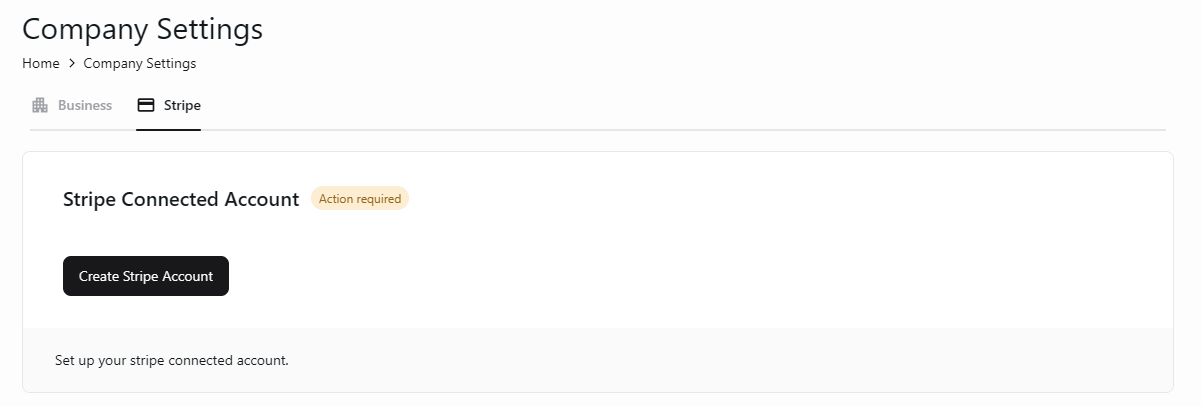
Start Stripe connected-account setup for online payments.
Follow the status and instructions shown for your account. The source illustrates the starting screen, rather than the complete Stripe onboarding flow.