
Change Admin PIN Code
1
Open your accessible stores
Select Profile, then open the Accessible Stores tab.
2
Enter the new PIN
Find the relevant store and enter your new PIN in Pos Pin Code.
3
Apply the change
Select Update beside that store.
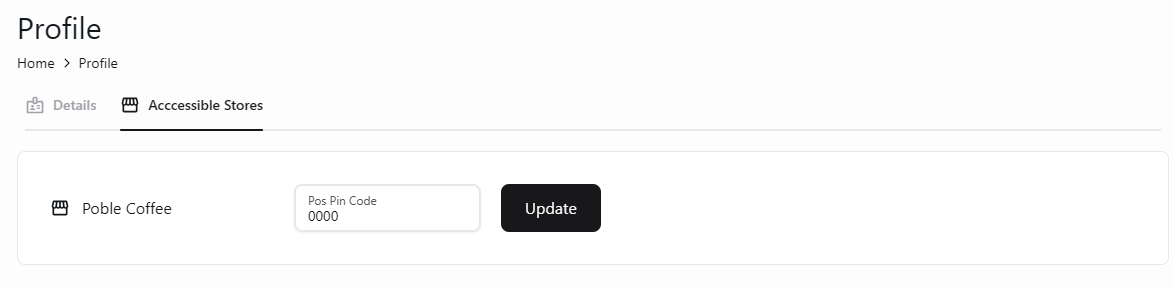
Update the POS PIN for a store from your profile.