
Customise with Add-ons
1
Review the add-ons
Open Customise with Add-ons. The source example includes kiosk, Uber Eats integration, extra POS devices, KDS, table booking, waitlist, table, loyalty, and online order options.
2
Choose the features you need
Select the add-ons relevant to your business. Review the description and displayed monthly charge for each selection.
3
Check the order summary
Review Order Summary and Total to check your selected plan and add-ons.
4
Continue to payment details
Use the trial or checkout control shown beneath the order summary to continue to the payment screen.
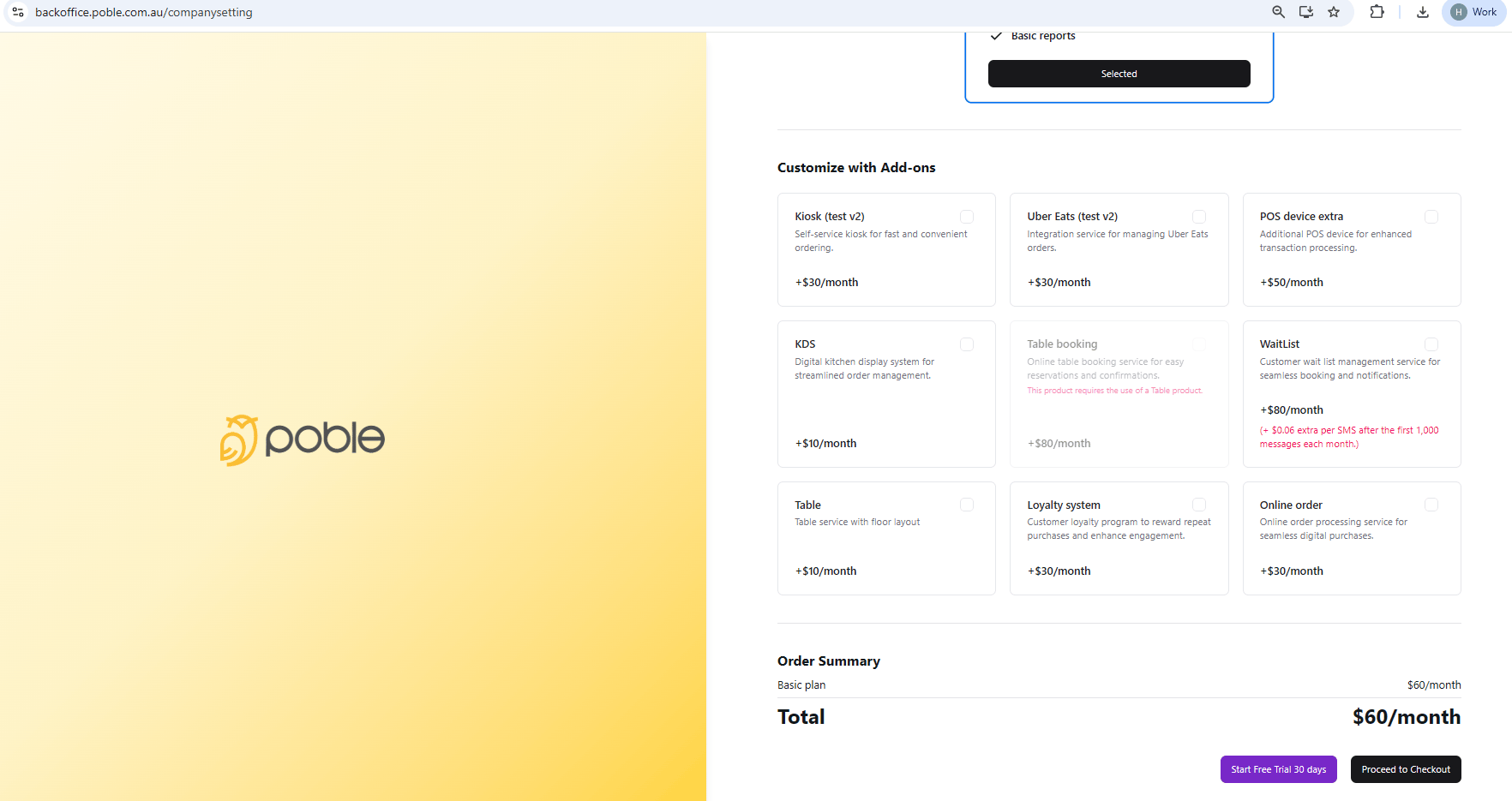
Choose optional features and review your subscription total.