
Enter Payment Details & Start Trial
1
Review the checkout summary
Check the selected plan, add-ons, Total after trial, and Total due today.
2
Enter contact and card details
Complete the contact information and card fields, including card number, expiry date, CVC, and cardholder name.
3
Enter billing details
Complete the billing address and the business or ABN information requested by the payment form.
4
Start your trial
Check your details and the displayed charges, then select Start trial.
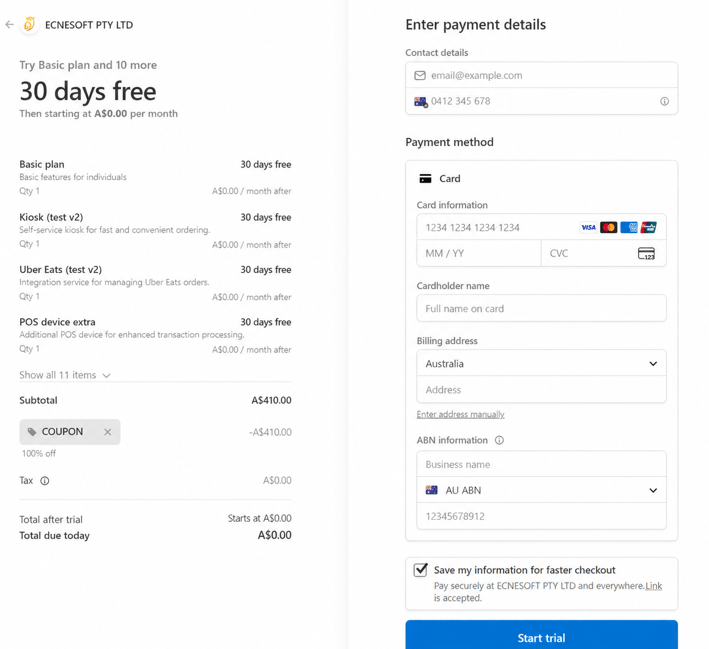
Complete billing setup and start the trial shown at checkout.
The trial duration and charges displayed at checkout apply to your signup. Review those details even if they differ from the example screenshot.