
Create Your Poble Account
1
Enter your business details
Complete Australian Business Number (ABN), Business Name, and Business Id.
2
Choose your Business Id
Use an identifier that matches your business. The setup screen explains that this is your company’s unique identifier and forms the subdomain for its membership URL.
3
Add your address and contact details
Enter Address, City, State, Postcode, Primary Email, and Primary Contact.
4
Continue to store setup
Review the Terms and Conditions. If you agree, select the agreement checkbox, then select Next.
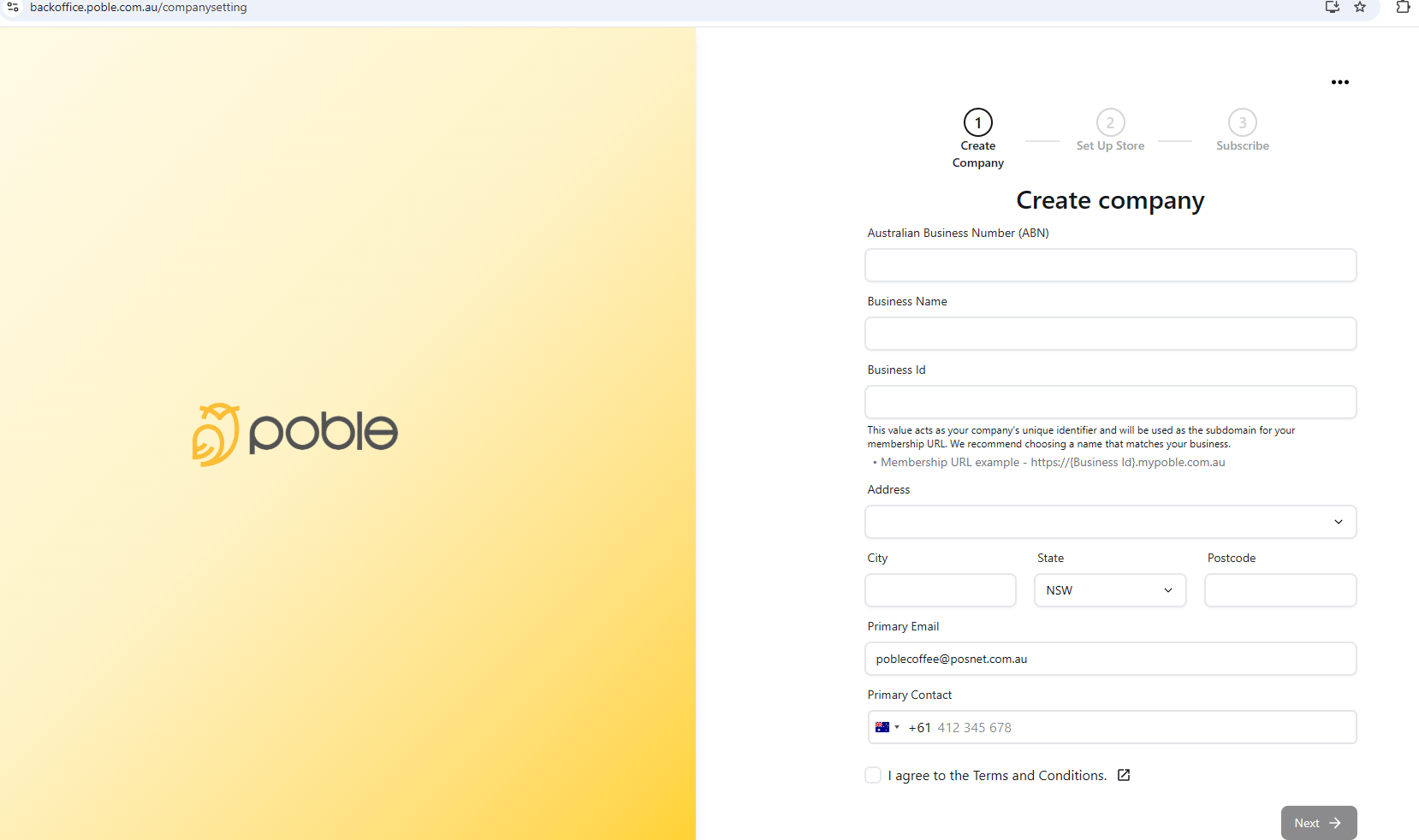
Enter your company and business details to begin setting up POBLE.