
Add Admins & Manage Employees
1
Open the employee list
Select Employees, then Employee List.
2
Review your staff
Use the search field or Add Filter to find a staff member. Review the Name, Email, Backoffice Role, and Status columns.
3
Begin adding an administrator
Select Add Employee. Complete the staff details requested in the form and choose the administrator role when adding an admin.
4
Review access
Check that the person’s role matches the access they need. Use the permission guides below when configuring staff access.
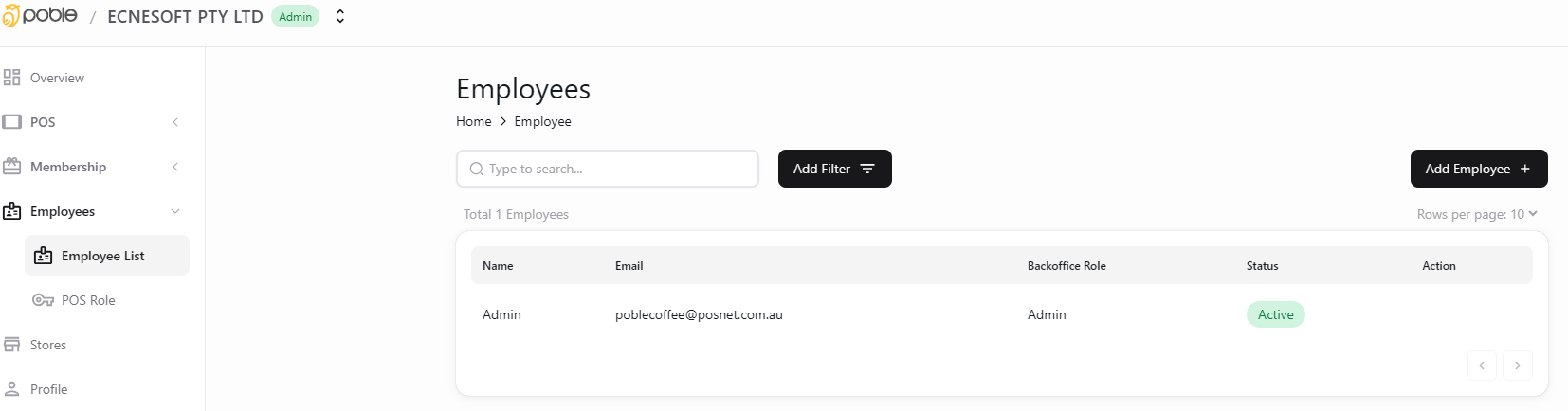
Add administrators and view staff from Employees.
Administrator and employee access should match each person’s responsibilities.