
1
Choose a menu category
Select a category at the top of the menu, such as Coffee. The available items appear below.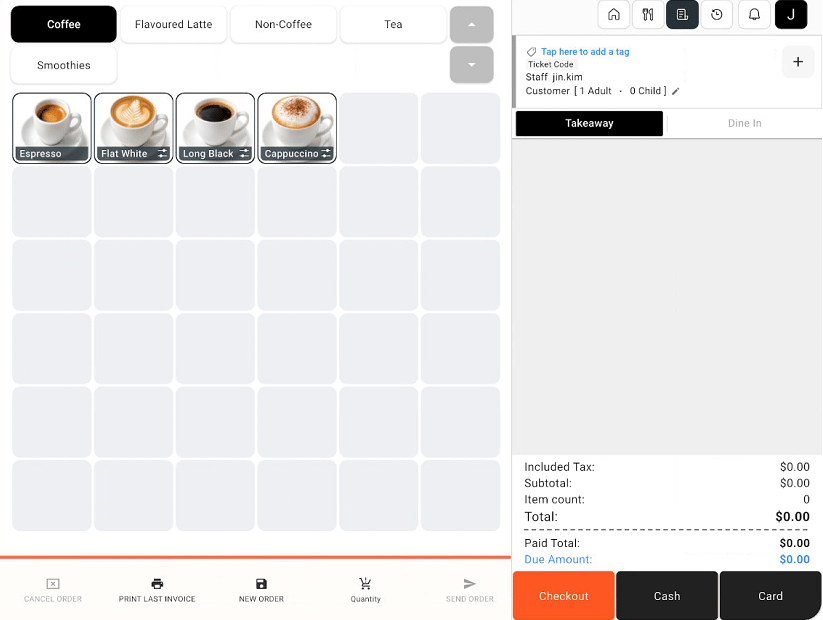
Sales screen with menu categories, items, order summary, and payment controls
2
Add an item
Select the item the customer wants. If an options window appears, choose the relevant options and select Add To Cart.
3
Review the order
Check the items in the order panel on the right. Review quantities, prices, and the total before proceeding to payment.