
1
Open the quantity controls
In the order panel, select the quantity beside the item name, such as x1.
2
Change the quantity
In Enter Quantity, use −, +, or the keypad to enter the new quantity. Select Change to apply it.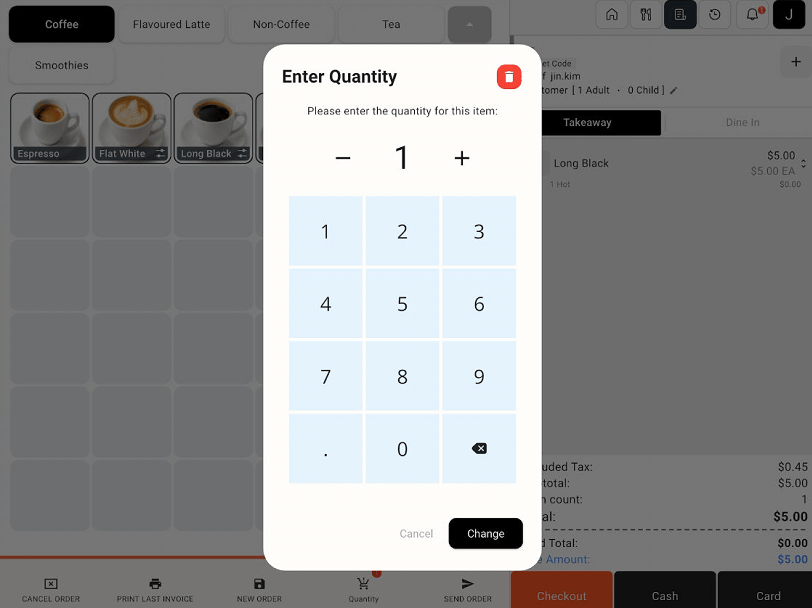
Enter Quantity window with quantity controls, Change, and the delete icon
3
Void an item when needed
To remove the selected item, use the red delete icon in the quantity window. Follow any further prompts, then review the order and updated total.