
1
Open Option Mapping
In Menu Setup, select Option Mapping to open Manage Item Options.
2
Select the menu items
Choose an Item Category, then select the items you want to configure.
3
Choose and arrange option groups
Select the required Option Groups. Check Selected Option Groups and drag them to change their order.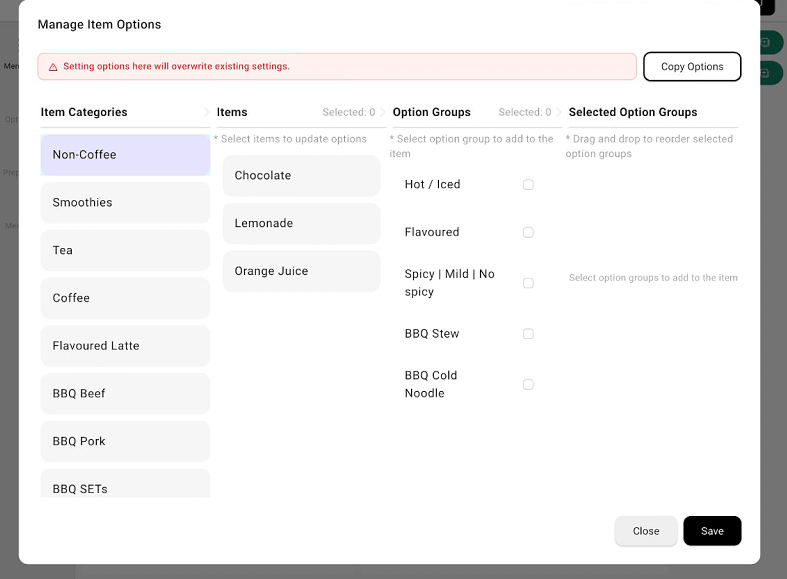
Manage Item Options with categories, items, and selected option groups
4
Save the mapping
Review the selected items and option groups, then select Save.