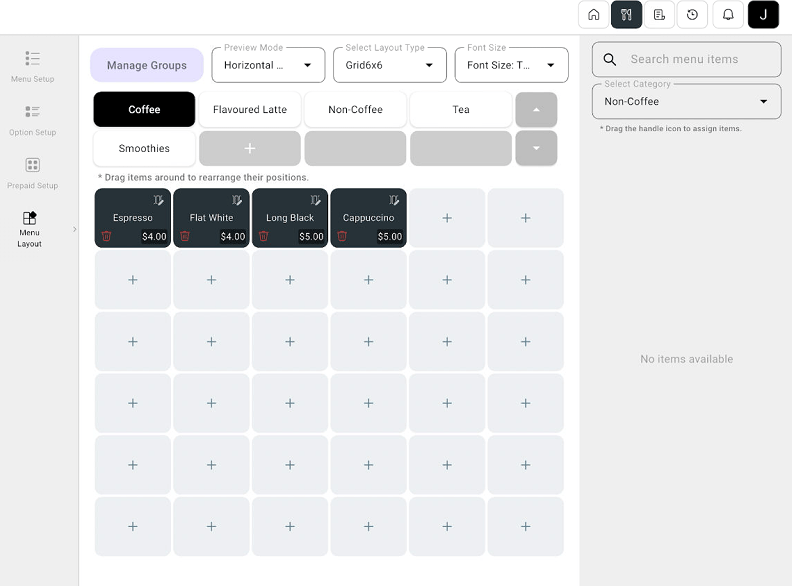
Arrange categories and item buttons to suit the way your staff work.
Arrange categories and item buttons to suit the way your staff work.Where: POS device → Menu Management → Menu Layout
1
Open Menu Layout
Select Menu Layout in the menu management sidebar.
2
Choose the display settings
Review Preview Mode, Select Layout Type, and Font Size. Use Manage Groups when you need to manage the displayed groups.
POS Menu Layout with category groups, item grid, and layout controls
3
Arrange the menu
Select the group you want to arrange. Drag item buttons to change their positions. Use the item search and category selector to find items for the layout.
4
Review the result
Check the category order and item positions in the preview. Apply any changes using the controls available on the screen.
Place frequently used categories and items where staff can find them quickly.