
1
Start a category
Select the + button beside Categories in Menu Setup.
2
Enter category details
On Create Category, enter the required category name in Item Name. Add an image, POS Display Name, and Description if needed.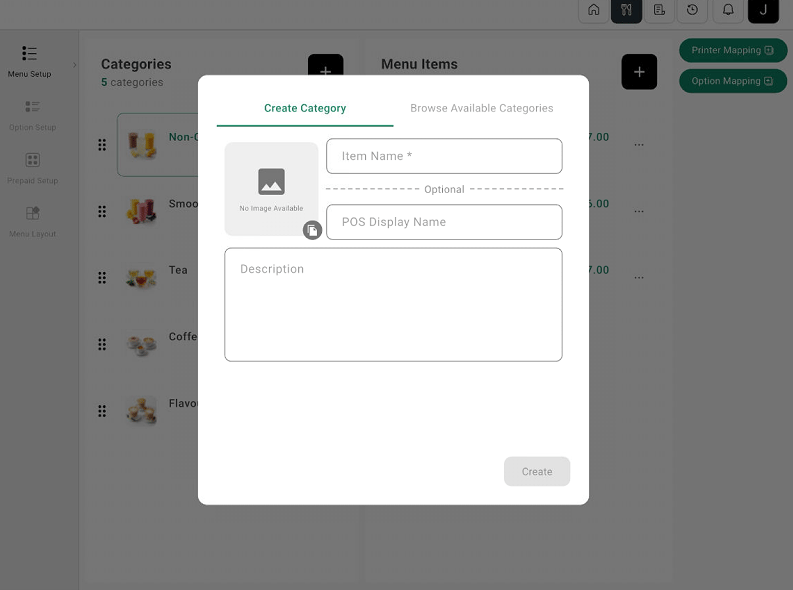
Create Category dialog on the POS
3
Create or browse categories
Select Create to save the new category. To choose an existing category instead, use Browse Available Categories.