
1
Select a category
Choose the category for the item, then select the + button beside Menu Items.
2
Complete Basic Info
Review Category and enter Item Name, Price, and Tax Option. Add an image, barcode, POS Display Name, and Description if needed.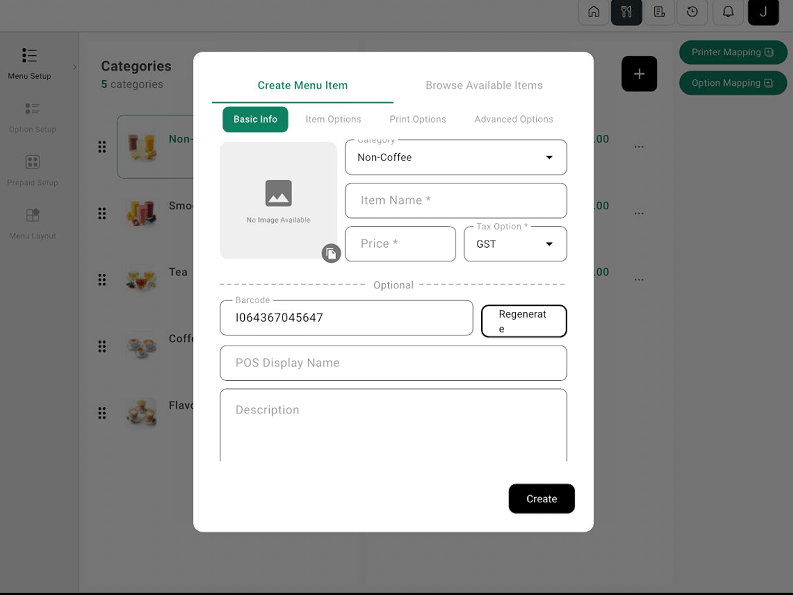
Create Menu Item dialog with Basic Info and optional settings
3
Review other settings and create
Review Item Options, Print Options, and Advanced Options if required, then select Create.