Create and organise option groups and choices on the POS.
Create and organise option groups and choices on the POS.Where: POS device → Menu Management → Option Setup
1
Open Option Setup
Select Option Setup from the menu management sidebar.
2
Manage option groups
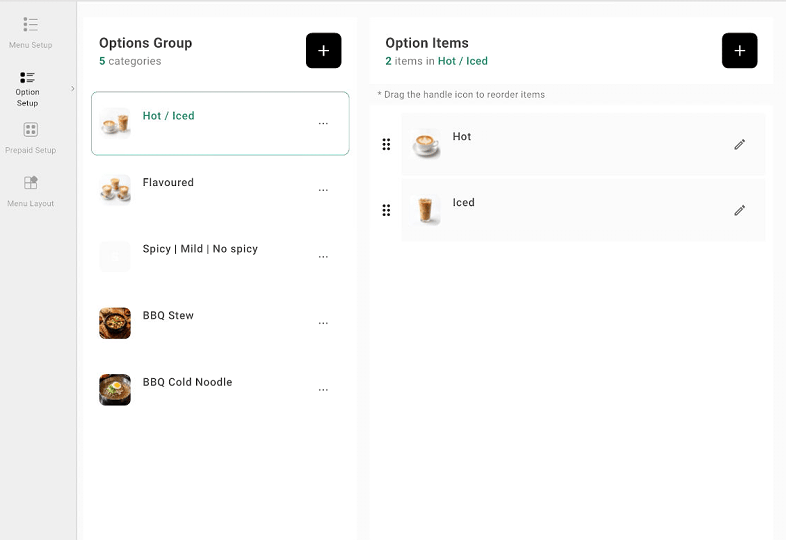
Select a group to view its choices. Use the + button beside Options Group to begin adding another group.
POS Option Setup with option groups and option items
3
Manage choices
Use the + button beside Option Items to add a choice. Use the edit icon beside an existing choice to update it, and drag its handle to change the order.
Use Option Mapping to assign the option groups to the items that should offer them.