
1
Open the POS main screen
Go to the POS main screen for the store you want to manage.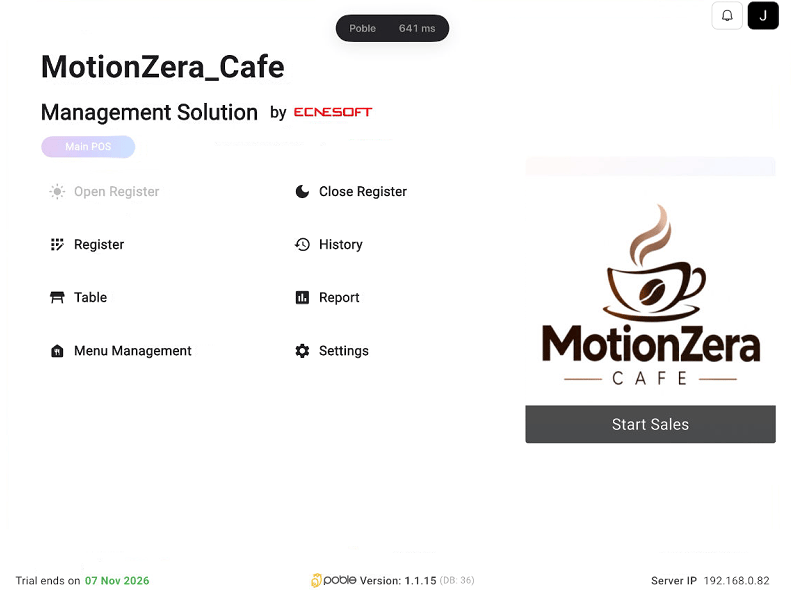
POS main screen showing Menu Management and Settings
2
Select Menu Management
Select Menu Management to access Menu Setup, Option Setup, Prepaid Setup, and Menu Layout.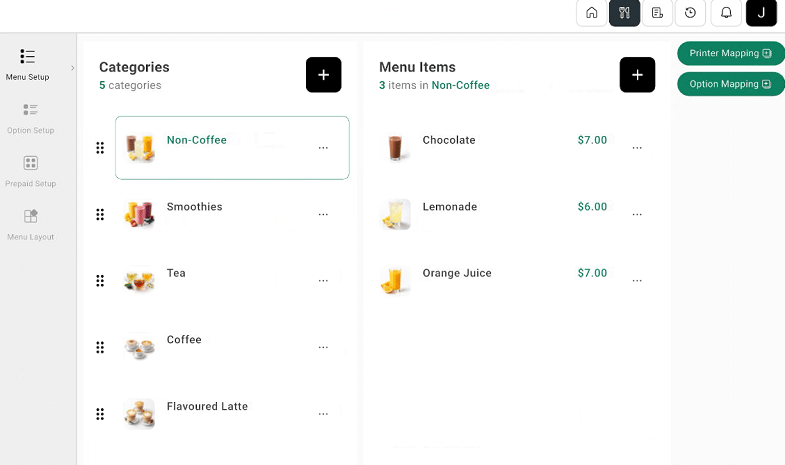
POS Menu Setup with categories and menu items
Menu Management and Settings are separate controls on the POS main screen. Use Menu Management for the menu tools in these guides.