
1
Open the options list
Expand POS and select Item Options. The page heading is Options.
2
Create an option group
Select Create Option and enter a group name, such as Flavoured or Hot / Iced.
3
Add choices
Select the group, then select Add New Item to add choices such as Vanilla, Caramel, or Hazelnut. Set an additional price for each choice if required.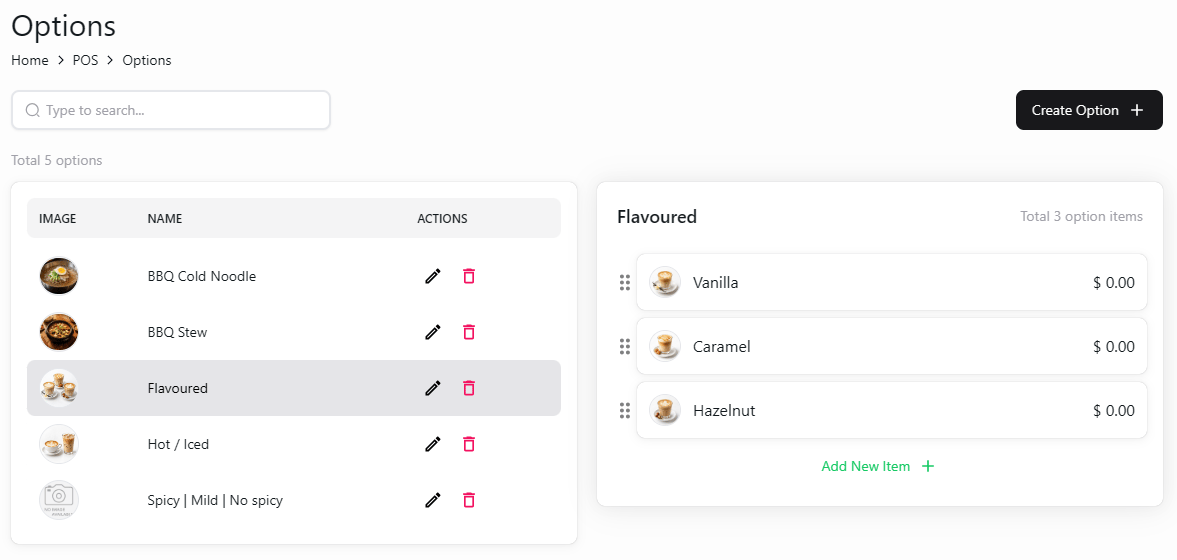
Option groups and choices in the backoffice
4
Update existing options
Use the edit icon beside an option group to update it. Review the group and its choices after making changes.
Creating an option group and assigning it to a menu item are separate tasks. Use Option Mapping to connect options to items.