
1
Start a category
Select Create Category above the category list.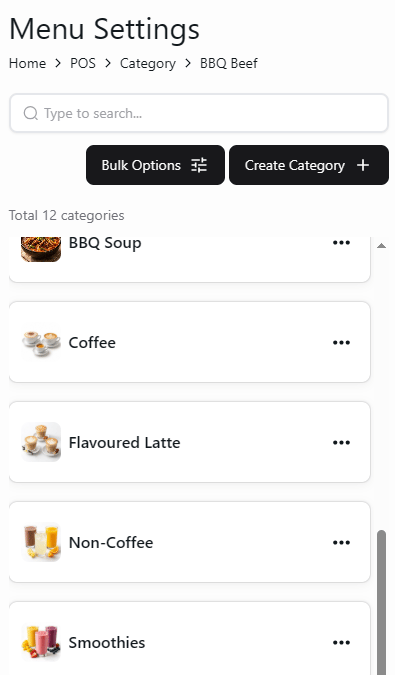
Company menu categories and Create Category button
2
Enter category details
Enter Name. Add an image, POS Display Name, and Description if needed.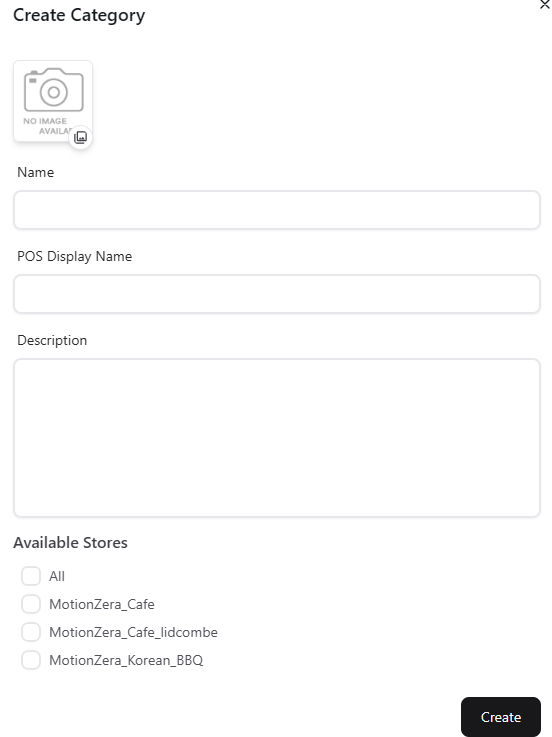
Create Category form with Available Stores
3
Choose available stores and create
Under Available Stores, select the locations that should have access to the category. Select Create.