
1
Open Prepaid Setup
Select Prepaid Setup in the menu management sidebar, then select + to begin adding an item.
2
Choose the item type
On Basic Info, select Gift Card or Prepaid, as appropriate.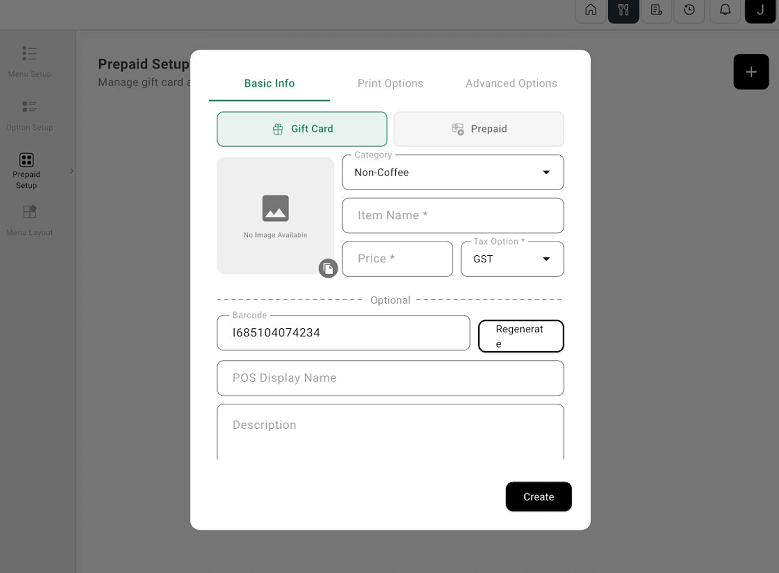
Prepaid Setup form with Gift Card and Prepaid choices
3
Enter the item details
Choose Category and enter Item Name, Price, and Tax Option. Add an image, barcode, POS Display Name, and Description if needed.
4
Review and create
Review Print Options and Advanced Options if required, then select Create.