
1
Open Printer Mapping
In Menu Setup, select Printer Mapping to open Manage Printer Groups.
2
Create a printer group
Select Create Group. In the Create Printer Category form, enter Name and Description.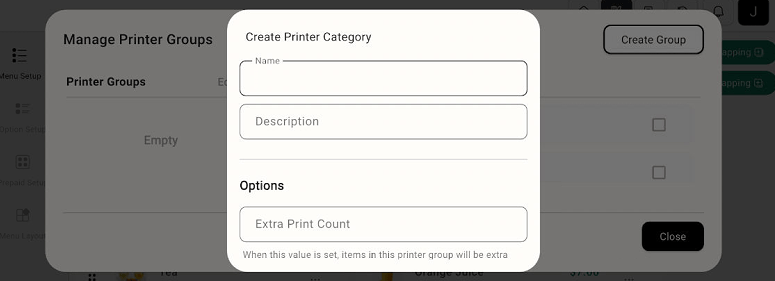
Manage Printer Groups and Create Printer Category form
3
Review print options
Review Extra Print Count if additional prints are needed. Complete the group using the controls shown in the form.
4
Review printer assignments
Review the available group and assignment controls so menu items are routed to the intended printers.
Printer Mapping manages printer groups and assignments. Use the printer configuration available in your POS for hardware and connection settings.