
1
Open the category form
Check that the correct store is selected, then select Create Category.
2
Enter category details
Enter Name. Add an image, POS Display Name, and Description if needed.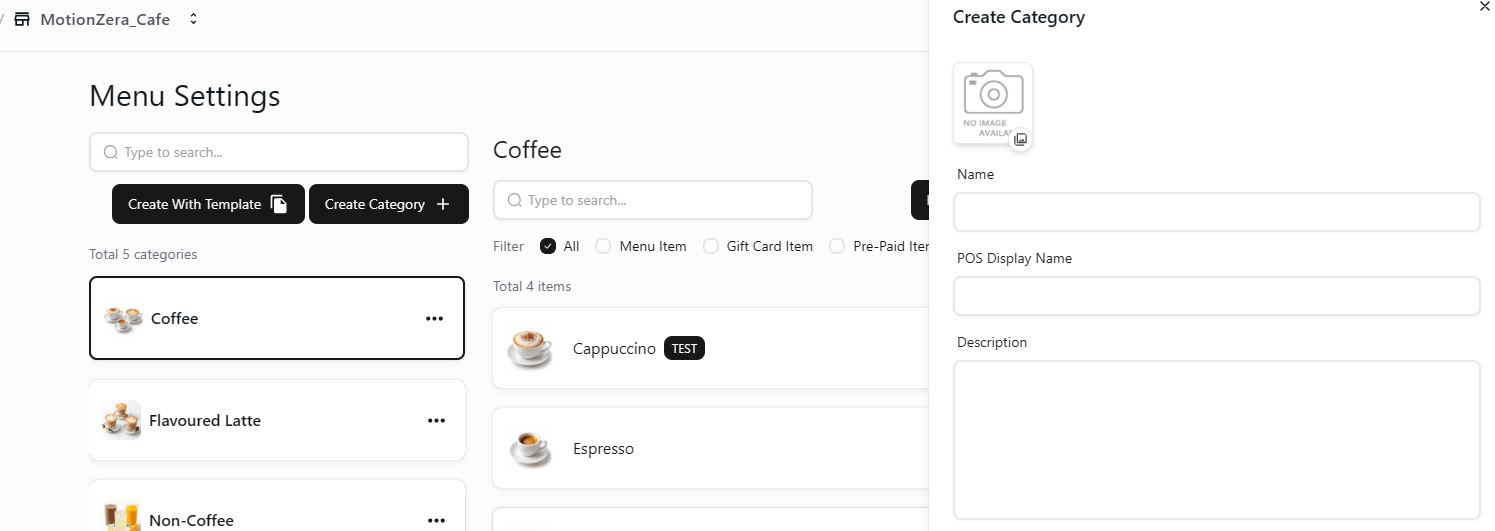
Create Category form in the selected store
3
Create the category
Review the details and select Create in the category form.
The company category form includes Available Stores. In the store view, check the location in the header before creating a category.