> ## Documentation Index
> Fetch the complete documentation index at: https://docs.poble.com.au/llms.txt
> Use this file to discover all available pages before exploring further.
# 停用门店
> 使用 Danger Zone 中的控件停用门店。
Notion 指南介绍了如何停用暂停营业或不再使用的门店。继续前,请仔细阅读界面警告。
## 停用门店
选择要停用的门店,打开 **Store Settings**。
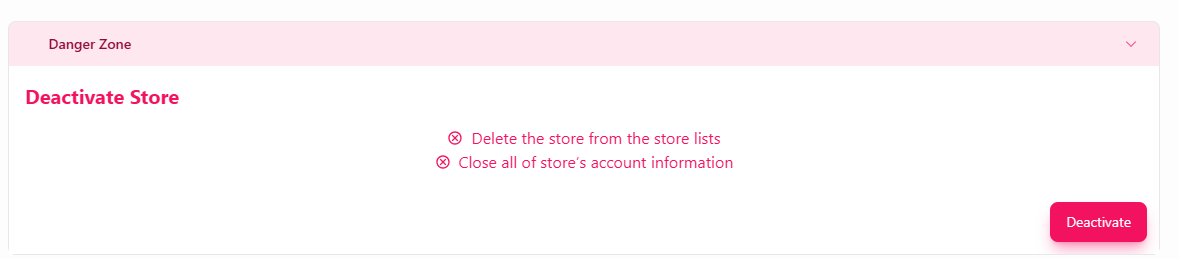
展开 **Danger Zone**,找到 **Deactivate Store**。
原始界面提示 **Delete the store from the store lists** 和 **Close all of store’s account information**。请确认该操作适合您的门店情况。
仅在准备好继续时选择 **Deactivate**。阅读并回应 POBLE 显示的后续提示。
 原始资料未说明数据保留、计费影响或重新启用方式。在将停用用于临时休业前,请向 POBLE 支持团队确认这些信息。
## 相关指南
* [营业时间通知](/zh/poble-manual/store-settings/business-hours-message)
* [管理门店](/zh/poble-manual/company-settings/manage-stores)
This documentation is built and hosted on [Mintlify](https://mintlify.com), a developer documentation platform.
原始资料未说明数据保留、计费影响或重新启用方式。在将停用用于临时休业前,请向 POBLE 支持团队确认这些信息。
## 相关指南
* [营业时间通知](/zh/poble-manual/store-settings/business-hours-message)
* [管理门店](/zh/poble-manual/company-settings/manage-stores)
This documentation is built and hosted on [Mintlify](https://mintlify.com), a developer documentation platform.