> ## Documentation Index
> Fetch the complete documentation index at: https://docs.poble.com.au/llms.txt
> Use this file to discover all available pages before exploring further.
# 选择附加功能
> 选择可选功能并检查订阅总费用。
在订阅设置过程中,可为所选方案添加可选功能。
## 选择附加功能
打开 **Customise with Add-ons**。示例包括自助点餐机、Uber Eats 集成、额外 POS 设备、KDS、订位、候位、桌台、会员忠诚度和在线点单功能。
选择适合业务的附加功能,并查看各项说明及显示的月费。
在 **Order Summary** 和 **Total** 中检查所选方案及附加功能。
使用订单摘要下方显示的试用或结账控件进入付款页面。
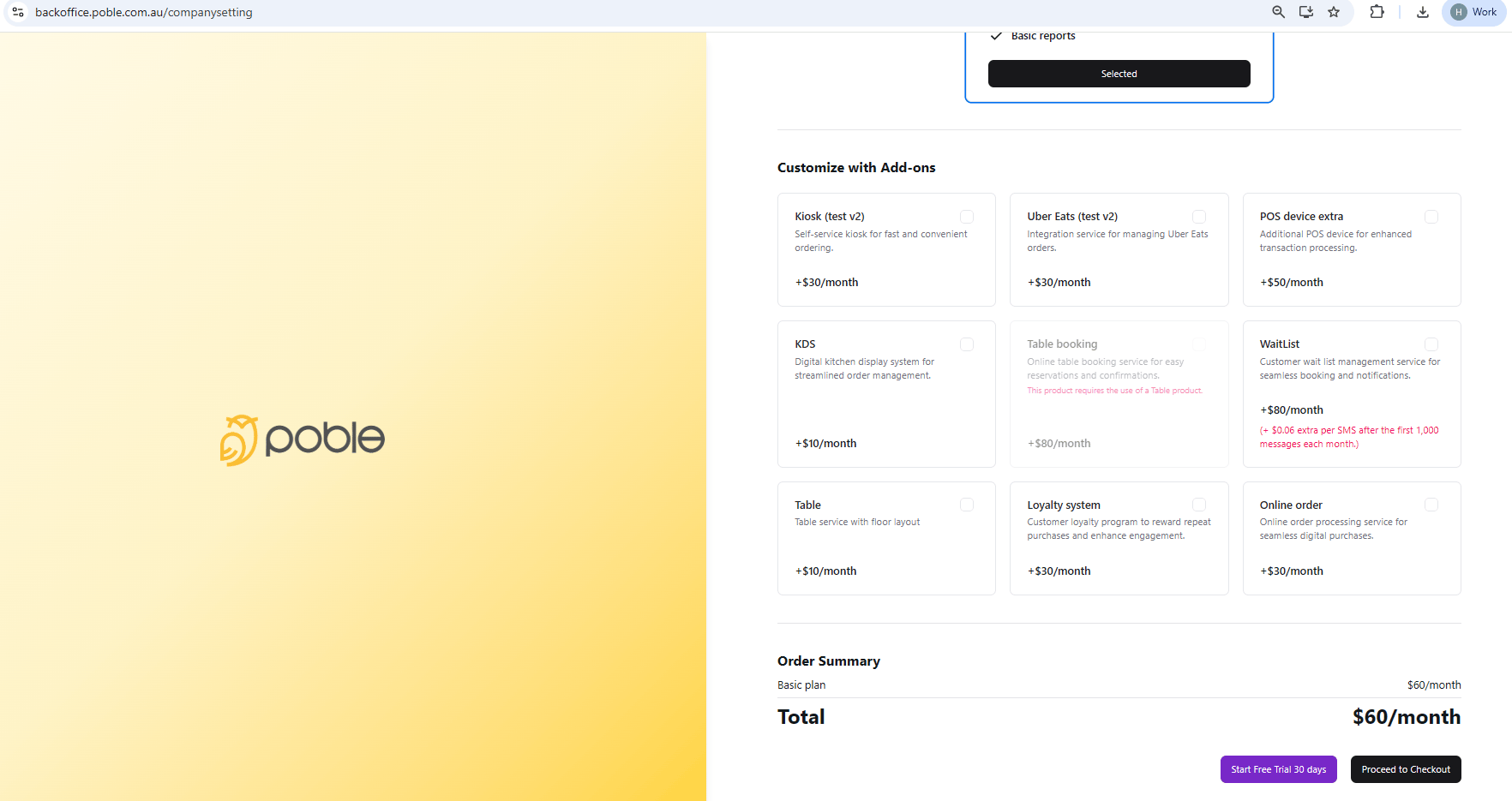 选择附加功能后,请检查合计,了解所选项目的订阅费用。
## 相关指南
* [填写付款信息并开始试用](/zh/poble-manual/getting-started/enter-payment-details-start-trial)
This documentation is built and hosted on [Mintlify](https://mintlify.com), a developer documentation platform.
选择附加功能后,请检查合计,了解所选项目的订阅费用。
## 相关指南
* [填写付款信息并开始试用](/zh/poble-manual/getting-started/enter-payment-details-start-trial)
This documentation is built and hosted on [Mintlify](https://mintlify.com), a developer documentation platform.