> ## Documentation Index
> Fetch the complete documentation index at: https://docs.poble.com.au/llms.txt
> Use this file to discover all available pages before exploring further.
# Customise with Add-ons
> Choose optional features and review your subscription total.
Add optional features to your selected plan during subscription setup.
## Customise with Add-ons
Open **Customise with Add-ons**. The source example includes kiosk, Uber Eats integration, extra POS devices, KDS, table booking, waitlist, table, loyalty, and online order options.
Select the add-ons relevant to your business. Review the description and displayed monthly charge for each selection.
Review **Order Summary** and **Total** to check your selected plan and add-ons.
Use the trial or checkout control shown beneath the order summary to continue to the payment screen.
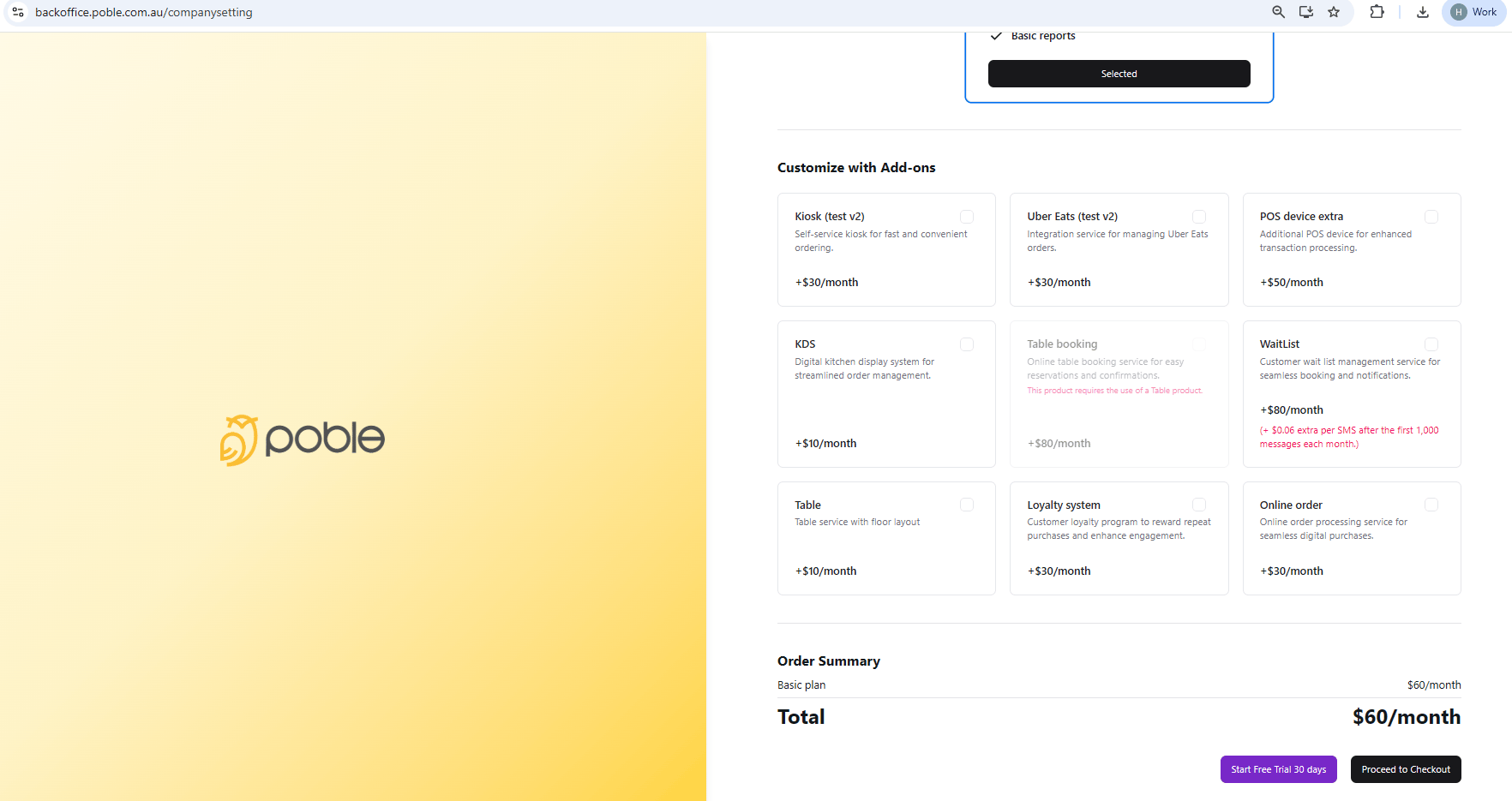 Review the total after selecting add-ons so you know the subscription cost shown for your choices.
## Related guides
* [Enter payment details and start your trial](/poble-manual/getting-started/enter-payment-details-start-trial)
This documentation is built and hosted on [Mintlify](https://mintlify.com), a developer documentation platform.
Review the total after selecting add-ons so you know the subscription cost shown for your choices.
## Related guides
* [Enter payment details and start your trial](/poble-manual/getting-started/enter-payment-details-start-trial)
This documentation is built and hosted on [Mintlify](https://mintlify.com), a developer documentation platform.