> ## Documentation Index
> Fetch the complete documentation index at: https://docs.poble.com.au/llms.txt
> Use this file to discover all available pages before exploring further.
# Manage Admin Profiles
> View and update administrator details in Profile.
Use **Profile** to keep administrator information up to date.
## Manage Admin Profiles
In the company view, select **Profile** from the sidebar.
On the **Details** tab, review and update **Name**, **Email**, **Contact (optional)**, and **Address** as needed.
Select **Save** to apply your changes.
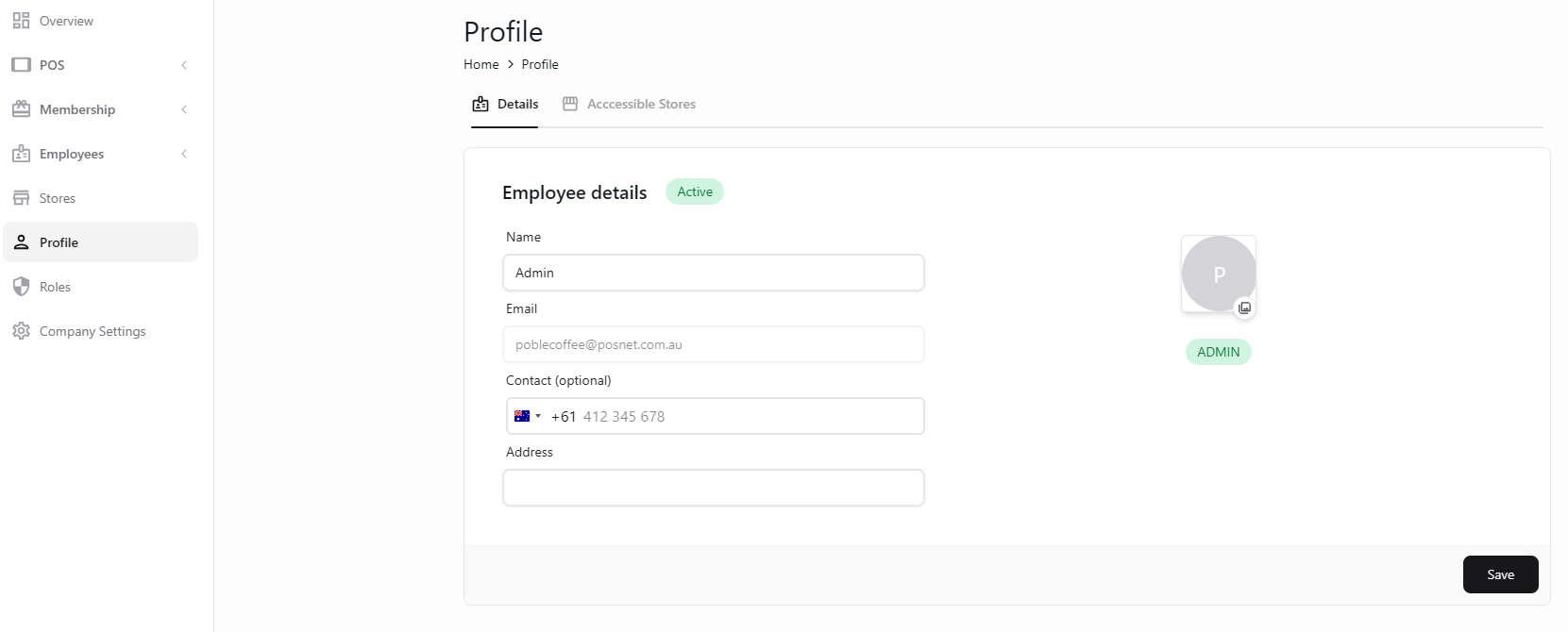 Store access and POS PIN settings are shown on the separate **Accessible Stores** tab.
## Related guides
* [Change your admin PIN](/poble-manual/company-settings/change-admin-pin-code)
This documentation is built and hosted on [Mintlify](https://mintlify.com), a developer documentation platform.
Store access and POS PIN settings are shown on the separate **Accessible Stores** tab.
## Related guides
* [Change your admin PIN](/poble-manual/company-settings/change-admin-pin-code)
This documentation is built and hosted on [Mintlify](https://mintlify.com), a developer documentation platform.