> ## Documentation Index
> Fetch the complete documentation index at: https://docs.poble.com.au/llms.txt
> Use this file to discover all available pages before exploring further.
# 상품 할인 적용 및 메모 추가
> 결제 전에 선택한 상품에 할인을 적용하거나 메모를 추가합니다.
결제 전에 선택한 상품에 할인을 적용하거나 메모를 추가합니다.
**경로:** POS 기기 → 판매 화면 → 상품 가격 옆 화살표
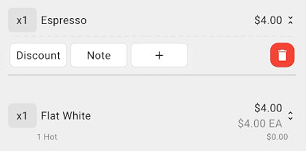
주문 패널에서 상품 가격 옆 화살표를 선택하면 **Discount**, **Note**가 표시됩니다.
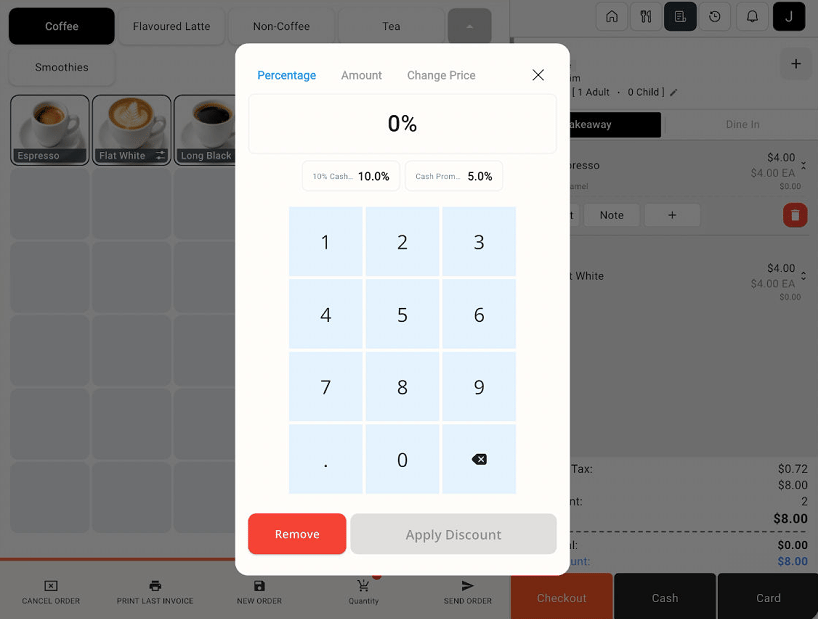
 **Discount**를 선택하세요. 미리 설정된 할인을 선택하거나 **Percentage** 탭에서 할인율을 입력한 뒤 **Apply Discount**를 누르세요.
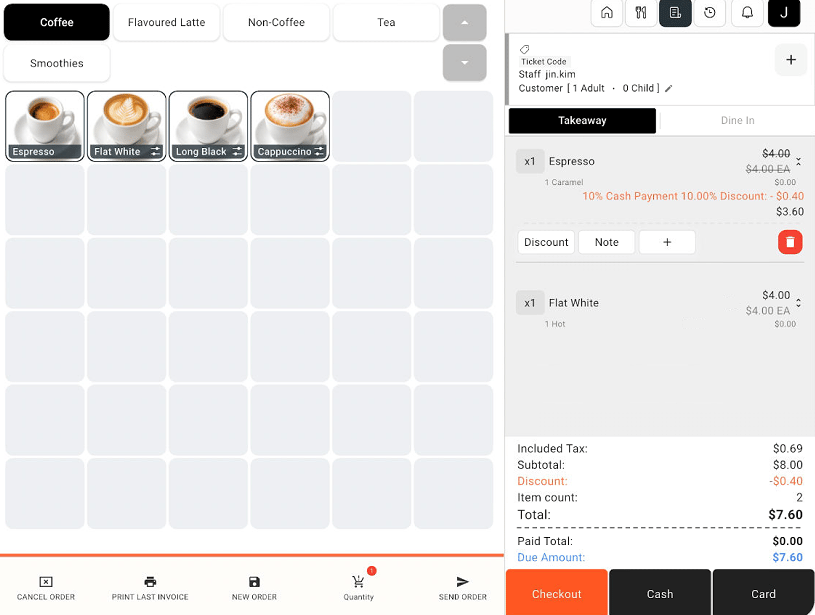
 주문 패널에서 할인과 변경된 상품 가격을 확인하세요. 예시는 10% 할인으로 $4.00 상품이 $3.60으로 변경되고 주문 합계도 함께 조정된 화면입니다.
 해당 상품의 **Note**를 선택하세요. 메모를 입력한 뒤 메모 창에 표시된 버튼으로 적용하세요.
상품 할인은 선택한 상품에 적용됩니다. 주문 전체 조정은 **Checkout** 화면에서 별도로 확인하세요.
## 관련 가이드
* [할인 설정 관리](/ko/poble-manual/menu-management/configuration/discount-settings)
* [체크아웃 및 결제](/ko/poble-manual/sales-payments/checkout-payment)
This documentation is built and hosted on [Mintlify](https://mintlify.com), a developer documentation platform.
해당 상품의 **Note**를 선택하세요. 메모를 입력한 뒤 메모 창에 표시된 버튼으로 적용하세요.
상품 할인은 선택한 상품에 적용됩니다. 주문 전체 조정은 **Checkout** 화면에서 별도로 확인하세요.
## 관련 가이드
* [할인 설정 관리](/ko/poble-manual/menu-management/configuration/discount-settings)
* [체크아웃 및 결제](/ko/poble-manual/sales-payments/checkout-payment)
This documentation is built and hosted on [Mintlify](https://mintlify.com), a developer documentation platform.