> ## Documentation Index
> Fetch the complete documentation index at: https://docs.poble.com.au/llms.txt
> Use this file to discover all available pages before exploring further.
# 역할별 권한 설정
> 직원 역할별로 허용할 작업을 설정합니다.
**Roles**에서 각 권한 항목별로 직원이 수행할 수 있는 작업을 선택하세요.
## 역할별 권한 설정
회사 사이드바에서 **Roles**를 선택하세요.
설정할 역할을 여세요. 예시 화면에는 **Franchise Manager**, **Shop Manager**, **Shop Owner**, **Staff**가 있습니다.
각 권한 항목을 확인하고 제공되는 **View**, **Edit**, **Delete** 중 필요한 작업을 선택하세요. 예시에는 직원, 메뉴 관리, 로열티 관리, 매출 보고서 항목이 있습니다.
변경 사항을 확인하고 **Save**를 선택하세요.
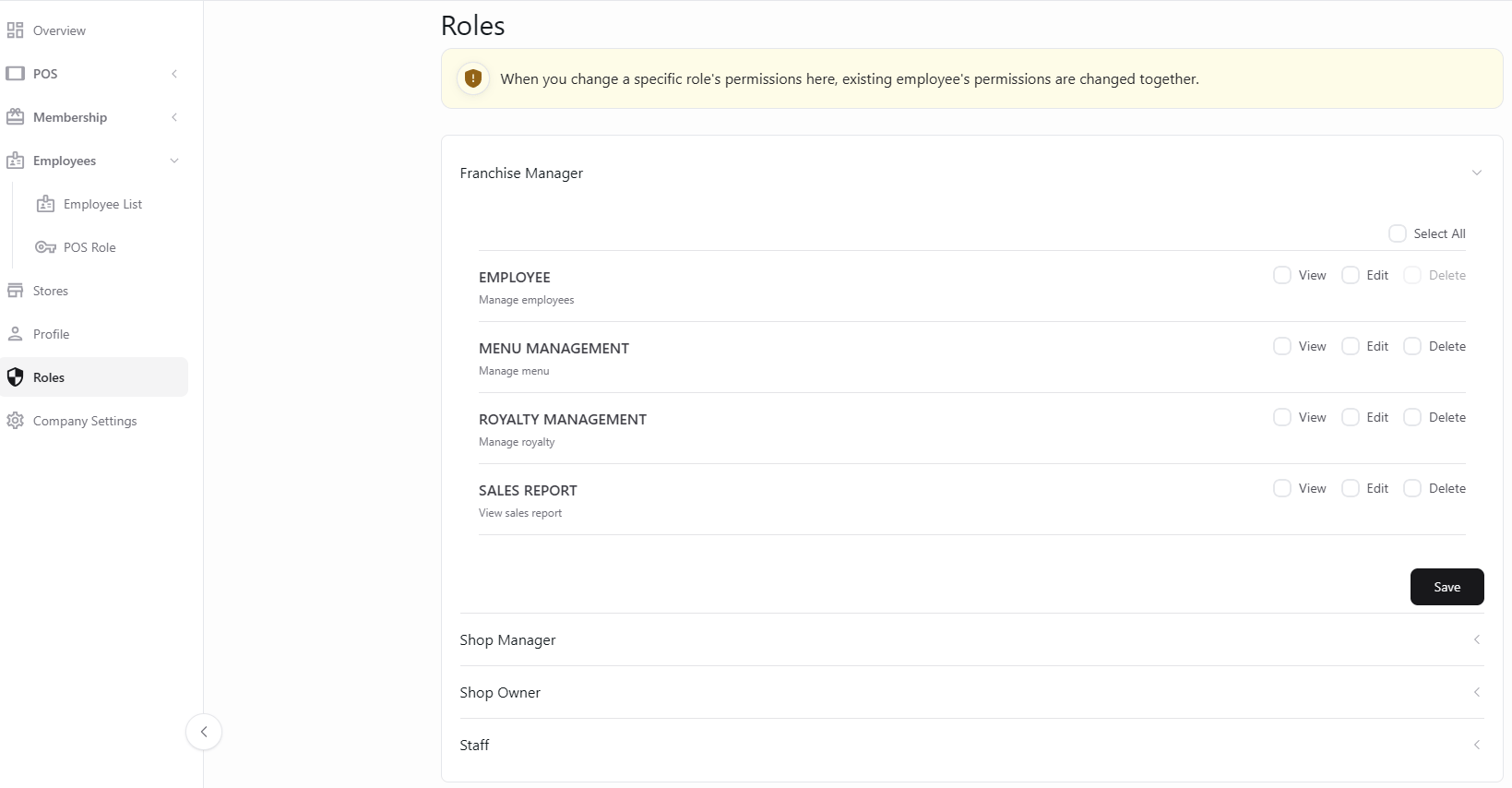 Roles 화면 안내대로 역할 권한을 변경하면 해당 역할을 가진 기존 직원의 권한도 함께 변경됩니다. 저장 전에 영향을 확인하세요.
## 관련 가이드
* [접근 권한 관리](/ko/poble-manual/company-settings/manage-permissions)
This documentation is built and hosted on [Mintlify](https://mintlify.com), a developer documentation platform.
Roles 화면 안내대로 역할 권한을 변경하면 해당 역할을 가진 기존 직원의 권한도 함께 변경됩니다. 저장 전에 영향을 확인하세요.
## 관련 가이드
* [접근 권한 관리](/ko/poble-manual/company-settings/manage-permissions)
This documentation is built and hosted on [Mintlify](https://mintlify.com), a developer documentation platform.